Office Laser Printers
Business-class HP LaserJet, Brother, Lexmark, Canon, Xerox, and similar laser printers used for everyday office printing.
Business-class printers and copiers are built to stay in service for years, and many failures are worth diagnosing before replacing the entire machine.
Sfixy provides on-site printer repair and troubleshooting for offices and small businesses in Boca Raton and nearby South Florida communities. We work with laser printers, multifunction printers, office copiers, scanners, document feeders, network printing, and internal hardware problems.
We focus primarily on business-class equipment where professional diagnosis and repair make economic sense.
From a single office laser printer to a large multifunction copier, the repair approach depends on the equipment, failure, and value of the machine.
Business-class HP LaserJet, Brother, Lexmark, Canon, Xerox, and similar laser printers used for everyday office printing.
Print, scan, copy, and document-feeder systems with paper handling, scanner, ADF, network, and internal hardware problems.
Larger Canon imageRUNNER, Xerox, Lexmark, and other commercial copier-class systems where component repair is often more practical than replacement.
Real business printer repairs involving mechanical damage, document feeders, network problems, and internal electronics.
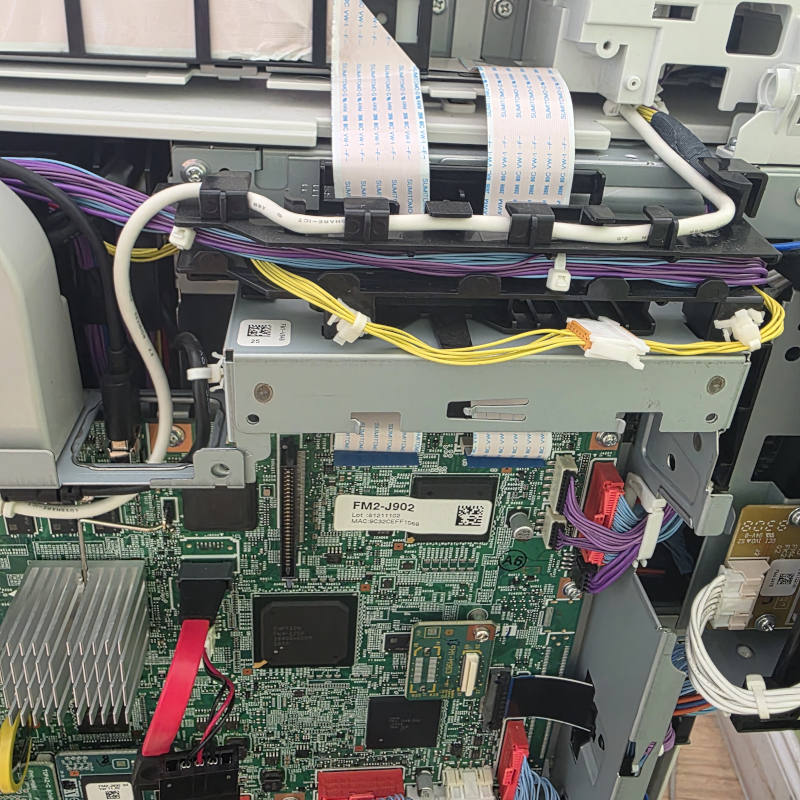
The ADF assembly was pulled out of position during a move, damaging the hinge area and disconnecting internal ribbon cables. The copier was opened, the internal connections were restored, and the ADF section was reassembled.
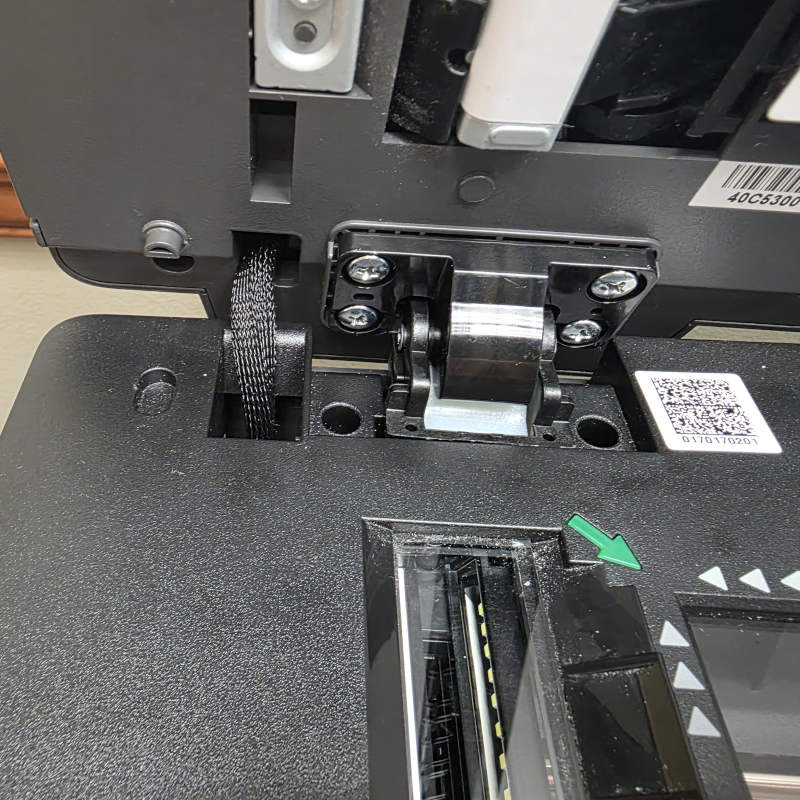
A failed ADF hinge prevented the document feeder from opening and closing correctly. The damaged hinge assembly was replaced and the feeder alignment and operation were restored.
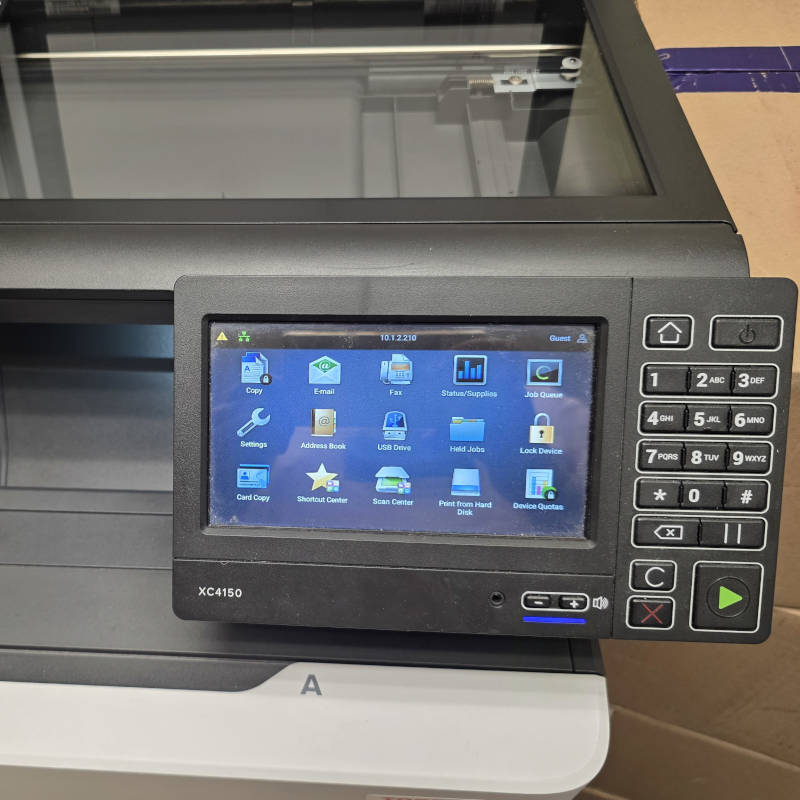
The printer was connected through Wi-Fi but placed on an isolated network segment, preventing reliable access from office computers. Moving it to the correct wired Ethernet network restored stable shared printing.
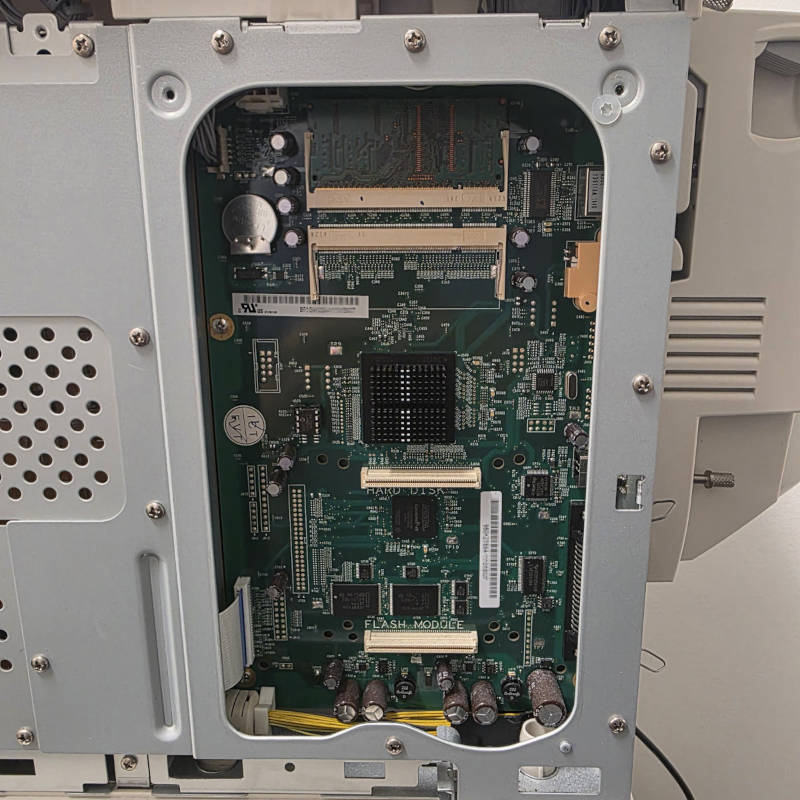
An internal hardware failure was traced to the image board. The printer was disassembled, the failed board was replaced, and the machine was returned to normal operation.
Modern office printers combine paper handling, scanning, imaging, electronics, software, and networking. A useful diagnosis often requires looking at more than the first visible symptom.
Repeated jams, worn rollers, pickup failures, tray problems, paper path issues, and feeding problems that return after the paper is removed.
Broken ADF hinges, damaged feeder assemblies, scanner problems, covers, ribbon cables, and mechanical damage caused by wear or moving.
Streaks, faded output, recurring marks, imaging problems, toner distribution issues, and other defects affecting business documents.
Internal control boards, sensors, power-related failures, wiring, connectors, and other electronic faults that require deeper disassembly and diagnosis.
Printers that appear offline, cannot be discovered, work from some computers but not others, or stop working after router, Wi-Fi, or network changes.
Driver installation, print queues, scan-to-computer setup, printer utilities, shared printing, and configuration across office workstations.
If the printer problem is part of a larger office connectivity issue, see our Network Setup & Wi-Fi Services.
The model number and symptoms usually tell us a lot before the visit, but the final repair decision is based on the actual machine and failure.
Share the printer model if known, the main symptom or error, and whether the issue involves printing, scanning, paper handling, or connectivity.
We inspect the printer, reproduce the failure when possible, and determine whether the cause is mechanical, electronic, software-related, or network-related.
You get a clear recommendation before replacement parts or more involved disassembly are approved.
The machine is repaired or configured, then tested for normal printing, feeding, scanning, connectivity, and the functions related to the original problem.
If you know the printer model, include it — it helps us identify the class of machine and likely parts before the visit. If not, simply select the closest printer type and describe what is happening.
Primary focus on office laser printers, multifunction printers, and commercial copiers.
Paper handling, ADFs, hinges, scanners, internal boards, sensors, and other repairable components.
Shared printing, Ethernet and Wi-Fi, drivers, scanning, and office connectivity problems.
Sfixy provides on-site printer and copier repair for offices, small businesses, and professional environments in Boca Raton and nearby South Florida communities.
We focus on practical diagnosis and repair of business-class printers, multifunction devices, and office copiers, including mechanical, network, scanning, and internal hardware problems.
© 2026 Sfixy LLC. All Rights Reserved. Serving Boca Raton, Delray Beach, Pompano Beach, East Fort Lauderdale and surrounding areas.