Office Printer Connected but Not Accessible: A Network Isolation Case
We were called to troubleshoot a Lexmark office printer in Delray Beach that suddenly stopped working across all computers. The device was still powered on, connected to Wi-Fi, and even showed a valid IP address — yet no one in the office could print. From the user’s perspective, everything looked normal: the printer was “online,” visible in settings, but completely unresponsive.
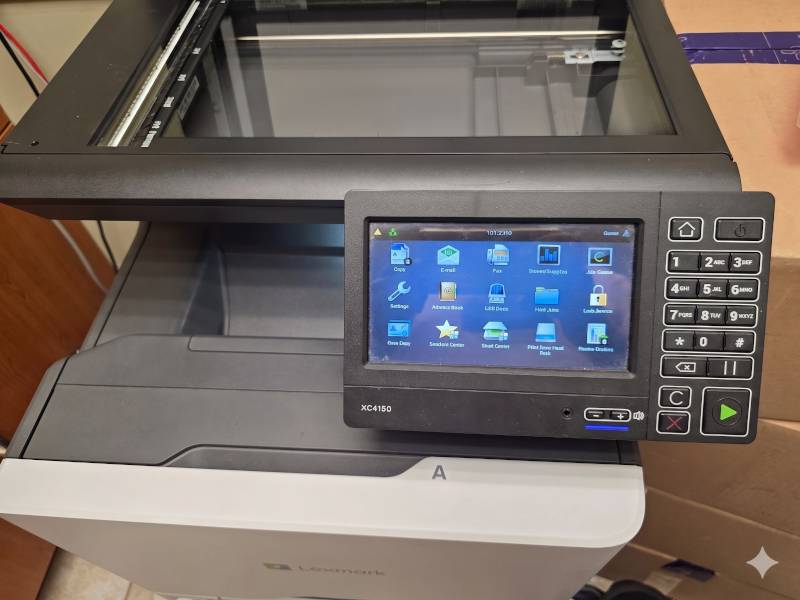
The issue started shortly after a malware incident. A remote support team had accessed the network and made security changes to the router. Since then, the printer became unreachable.
Initial checks confirmed that the printer was connected to the correct wireless network and had received an IP address in the expected range. However, basic connectivity tests failed — the device could not be reached from any workstation on the network.
This pointed to a network-level issue rather than a printer problem. Most likely, the wireless segment had been isolated or restricted as part of the security changes, effectively placing the printer in a separate, non-accessible network segment.
Access to the router was limited, and remote support was unable to resolve the issue in a reasonable time. Without access credentials, there was no way to verify or adjust the network configuration directly.
Given these constraints, we took an alternative approach. An unused Ethernet wall port was located near the printer. After connecting the device via cable, it became reachable on the network.
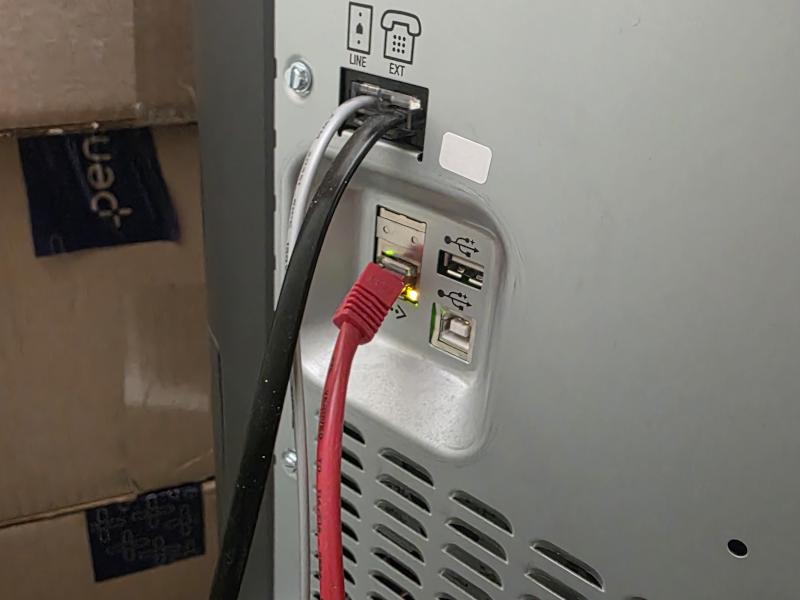
Some computers required manual re-detection, as the previous connection was tied to the old network path. This is expected when network conditions change — devices may need to be rediscovered or re-linked to the new address.
No driver changes, no reinstallation — just a proper network path.
The takeaway:
In many cases, devices don’t stop working — they become unreachable due to network configuration changes. Security adjustments, VLAN isolation, or wireless restrictions can silently break connectivity while everything appears “connected.” This is especially common after remote interventions, router updates, or malware-related fixes.
If your printer, computer, or other device suddenly “disappears” from the network, the issue is often not the device itself, but how the network is structured.
Professional network troubleshooting and setup can quickly restore connectivity and prevent similar issues in the future.