Why Computers Slow Down Over Time
Most people assume a slow computer means “it’s old” or “Windows is bad.” In reality, the problem is usually much more physical — dust buildup, overheating, and outdated storage.
This system is a good example. It wasn’t broken — but computer was running hot, slow, and unstable under normal use.
Dust Buildup and Overheating
Over time, dust accumulates inside the case, especially on fans and heatsinks. This restricts airflow and causes temperatures to rise. When a system overheats, it doesn’t just get hot — it starts throttling performance to protect itself.
That means a CPU capable of good performance may behave like a much slower one, simply because it can’t stay cool.
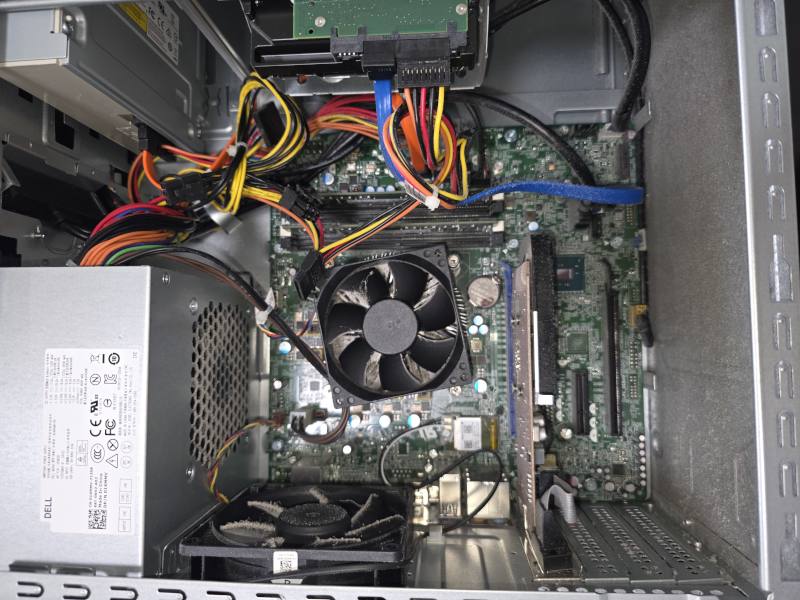
In many systems, this goes unnoticed for years. Fans run louder, temperatures increase, and performance drops gradually.
Old Hard Drives vs SSD
The second major issue is storage. Traditional hard drives (HDDs) are one of the biggest performance bottlenecks in older systems.
Even if the CPU and RAM are still usable, an HDD will make the entire system feel slow — long boot times, lag when opening programs, and constant delays during normal work. Replacing an HDD with an SSD is one of the most effective upgrades you can make. It doesn’t just improve speed — it changes how the system feels entirely.
In most cases, the system is cloned to the new SSD, so everything stays exactly where it was — files, programs, settings, and saved logins. No need to reinstall or set everything up again. This means you don’t have to start over. The computer simply becomes faster and more responsive, while keeping the same familiar setup.
This is especially important for users who rely on their computer daily and don’t want to risk losing data or reconfiguring everything. But if a fresh start makes more sense, we can also perform a clean installation and set the system up properly from scratch.
What Was Done
- Full internal cleaning to restore airflow
- Thermal inspection and fan check
- Replacement of old HDD with SSD
- System cleanup and optimization
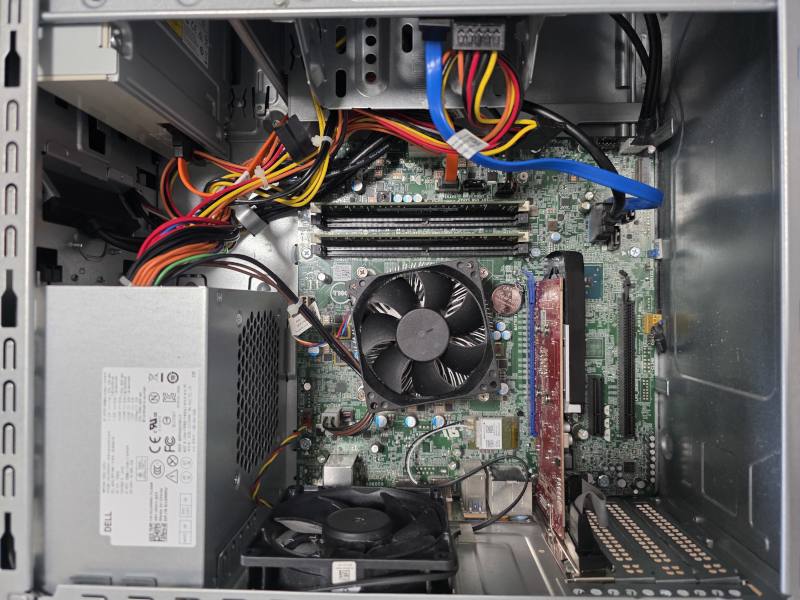
The Result
After cleaning and upgrading to SSD, the system became significantly more responsive, quieter, and stable. Boot time improved, applications opened instantly, and overall usability changed completely.
This is a common scenario — many systems don’t need replacement, just proper maintenance and the right upgrades.
Conclusion
If your computer feels slow, loud, or inconsistent, the issue is often not the age of the system, but how it has been maintained. Dust buildup and outdated storage can easily reduce performance by a large margin. In many cases, a simple cleaning and SSD upgrade can bring a system back to life.
Need a Faster, More Reliable Computer?
If your system is slow, overheating, or just not performing the way it should, we can diagnose the issue and recommend the right fix — whether it’s a cleaning, SSD upgrade, or a full system reset.
Not sure what your computer needs? We’ll take a look and explain the best option before any work is done.
Book Service