From an Aging CyberPower Gaming PC to a Balanced Custom RTX 5070 Build
It Started as an Upgrade Request
This project began with a message submitted through this website. The client was looking to upgrade a gaming PC that had originally been gifted to him around 2020. The system was primarily used for gaming, but it also handled occasional video editing work and general productivity tasks.
Like many upgrade consultations, the initial assumption was that the existing hardware could simply be improved with a few strategic component replacements. More memory, a faster graphics card, additional storage, and perhaps a processor upgrade seemed like a reasonable starting point.
Instead of immediately suggesting parts, I visited the client to inspect the system in person. In my experience, upgrade decisions based solely on a specification list often miss important factors such as cooling limitations, power supply quality, storage configuration, physical space constraints, and the client's actual usage patterns.
Looking Beyond the Specification List
During the visit, we reviewed not only the hardware itself, but also how the computer was being used, what games the client played, the type of video work involved, the available budget, future upgrade expectations, and even where the system would physically sit near the desk.
The existing CyberPower PC was built around an AMD Ryzen 5 3600, 8 GB of DDR4 memory, a basic B350 motherboard, a Radeon RX 580 graphics card, a 250 GB SATA SSD, a 1 TB hard drive, and a generic power supply.
None of those components were individually catastrophic. The problem was that nearly every meaningful upgrade exposed another limitation elsewhere in the system.
- A modern graphics card would require a better power supply.
- Additional memory would help, but the aging platform would remain.
- A processor upgrade depended on motherboard compatibility and BIOS support.
- A new SSD would improve responsiveness, but not solve the gaming bottleneck.
- The old case would still limit airflow and front-panel connectivity.
At that point, the project stopped being a simple upgrade discussion and became a cost-benefit analysis.
We compared multiple upgrade scenarios against the cost of building a completely new system. Once the numbers were laid out, it became clear that investing heavily into the existing platform would provide less value than starting with a modern foundation.
That conclusion was not predetermined. In many cases I recommend targeted upgrades and help clients extend the life of their current systems. In this particular situation, however, building new provided a better balance of performance, reliability, airflow, appearance, and long-term upgrade potential.
Just as importantly, it allowed the budget to be spent on components that would still make sense several years from now rather than on extending the life of a platform that was already approaching its practical limits.
Planning Around the Client's Real Needs
The target budget was approximately $2,000, which required careful component selection. In 2026, memory, SSDs, and graphics cards are expensive enough that simply choosing the most popular parts can push a build far beyond the original budget.
For a pure gaming system, an AMD Ryzen 7 7800X3D or similar X3D processor would have been an obvious candidate. However, this computer was not going to be used only for gaming. The client also planned to work with video, which changed the priorities.
A Ryzen 7800X3D-based configuration also did not fit the target budget without forcing compromises elsewhere. Instead, we selected an Intel Core Ultra 5 250KF Plus. It offered a more balanced choice for mixed gaming and productivity workloads while leaving enough budget for the graphics card, cooling, motherboard, memory, storage, and case.
Before choosing the final case and layout, we also discussed where the computer would physically sit near the desk. This helped determine which side should provide easier access to front-panel ports and controls. Small details like front USB access, cable reach, and desk placement matter because the client interacts with them every day.
The aesthetic direction was also part of the planning. The client preferred a black build with silver and white accents rather than an all-black or overly aggressive RGB-heavy look.
The Final Component Selection
The final configuration was designed around balance, airflow, appearance, and upgrade value.
- Intel Core Ultra 5 250KF Plus processor
- ASRock Z890 Pro RS motherboard
- Gigabyte RTX 5070 AERO graphics card
- 32 GB G.Skill Trident Z5 DDR5-6000 memory
- 1 TB Acer Predator TLC NVMe SSD
- 360 mm liquid CPU cooler with a silver mirror-style pump block
- High-airflow case with strong front, bottom, rear, and top ventilation
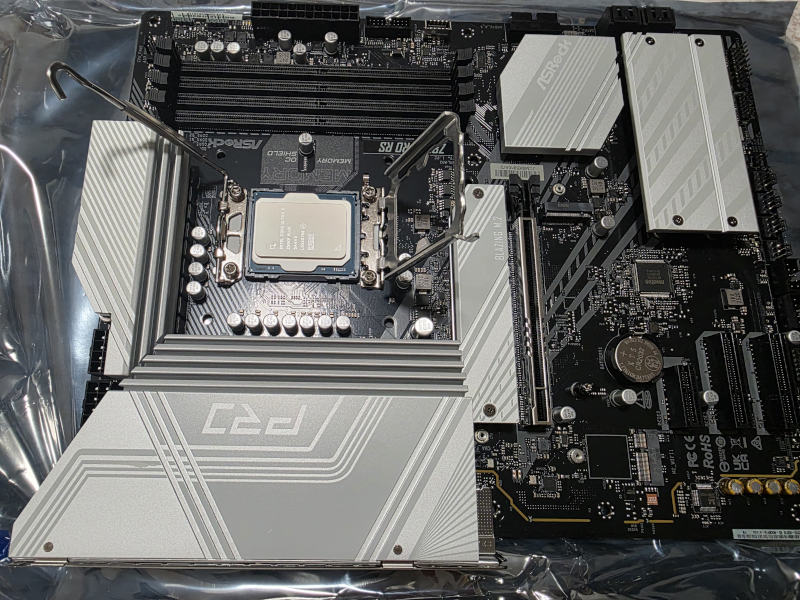 The new platform was built around an Intel Core Ultra 5 250KF Plus and ASRock Z890 Pro RS motherboard, chosen for balanced gaming and productivity performance.
The ASRock Z890 Pro RS was a good fit for this build. Its CPU power delivery was more than sufficient for the selected processor, and the silver heatsinks matched the overall visual theme. It also provided plenty of fan headers and ARGB connectivity, which was important for controlling the cooling layout cleanly.
The Gigabyte RTX 5070 AERO matched the white and silver accent theme while delivering a major gaming performance upgrade over the old Radeon RX 580.
For memory, we used a 32 GB G.Skill Trident Z5 DDR5-6000 kit rather than a basic low-end kit. This provided a good balance of speed, stability, appearance, and long-term usefulness.
Storage was handled by an Acer Predator NVMe SSD using TLC NAND. I prefer avoiding the cheapest QLC-based options in gaming and productivity builds because sustained performance and long-term consistency matter more than a marketing speed number on the box.
Why Cooling and Airflow Were Treated as Core Components
Many prebuilt gaming PCs look impressive from the outside but cut corners on cooling. It is still common to see high-power processors paired with 120 mm liquid coolers, weak case airflow, or a fan layout that looks busy but does not move air efficiently.
For this build, airflow was not an afterthought. It was part of the design from the beginning.
The final cooling layout included:
- three 140 mm intake fans at the front,
- two 120 mm intake fans at the bottom feeding fresh air directly toward the graphics card,
- one 140 mm rear exhaust fan,
- and three 120 mm top exhaust fans mounted on the 360 mm radiator.
This creates a strong, predictable airflow path through the case. Fresh air enters from the front and bottom, while warm air exits through the rear and top. The system also maintains positive internal pressure, which helps reduce dust intake through unfiltered gaps.
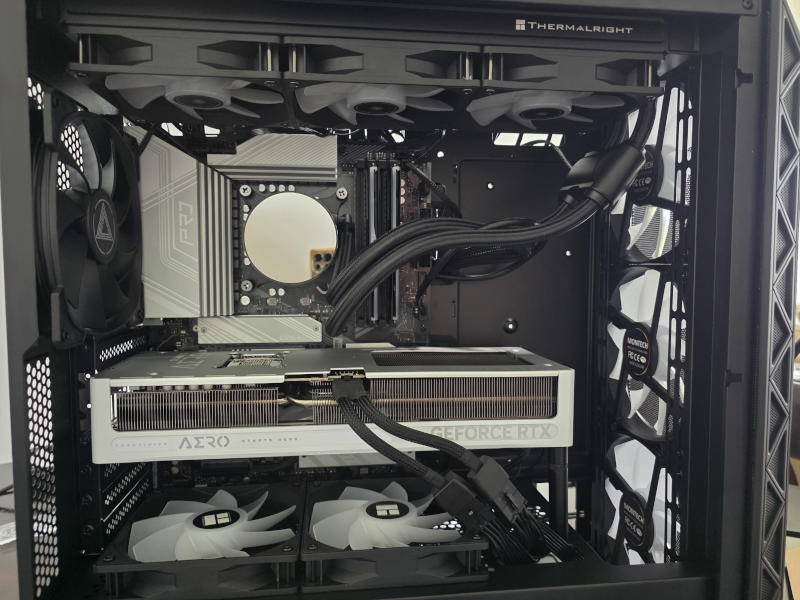 The finished internal layout provides dedicated fresh-air intake for the graphics card, a 360 mm top-mounted radiator, and a clear front-to-back airflow path.
Good airflow is not just about lowering temperatures. It can also reduce fan noise, improve boost behavior, extend component life, and make future maintenance easier.
Assembly and BIOS Configuration
After the hardware was assembled, the system still needed proper configuration. A modern custom PC is not finished just because it powers on.
BIOS settings were reviewed, memory was configured to run at the correct DDR5 speed, fan behavior was checked, and the system was tested under load. This step is important because many systems ship or get assembled with memory running at default speeds, incorrect fan curves, or overly aggressive automatic motherboard settings.
The goal was not just to make the computer look good. The goal was to make sure it behaved correctly under real gaming and productivity workloads.
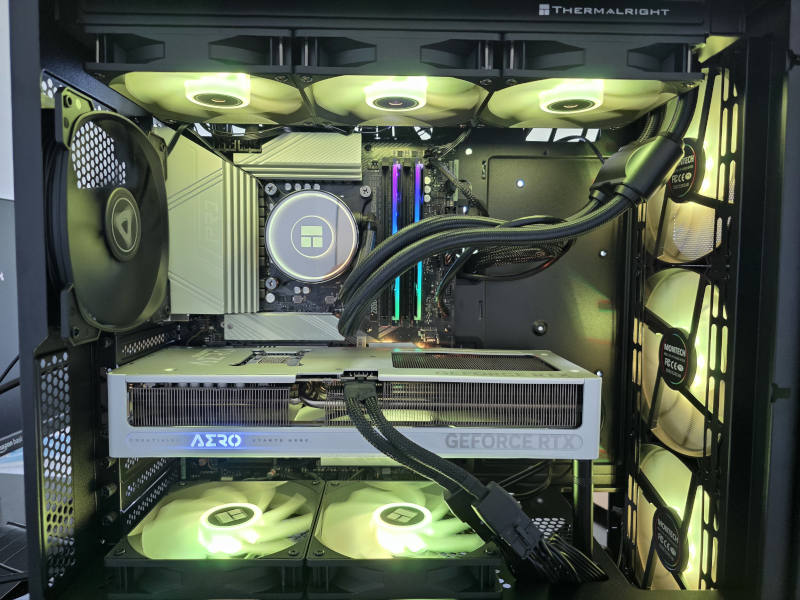 After assembly and tuning, the system combined the requested black, silver, and white visual theme with a clean airflow-focused layout.
The Final Result
Compared with the original CyberPower system, the finished build delivered a complete generational upgrade.
- Much stronger gaming performance
- Modern DDR5 platform
- Faster NVMe storage
- Better airflow and cooling capacity
- USB4 support and modern front-panel connectivity
- Cleaner internal layout
- Additional storage retained from the original system
The client received a system that made sense for his actual needs rather than a random collection of expensive parts. It was designed for gaming, video work, daily usability, future upgrades, and long-term stability.
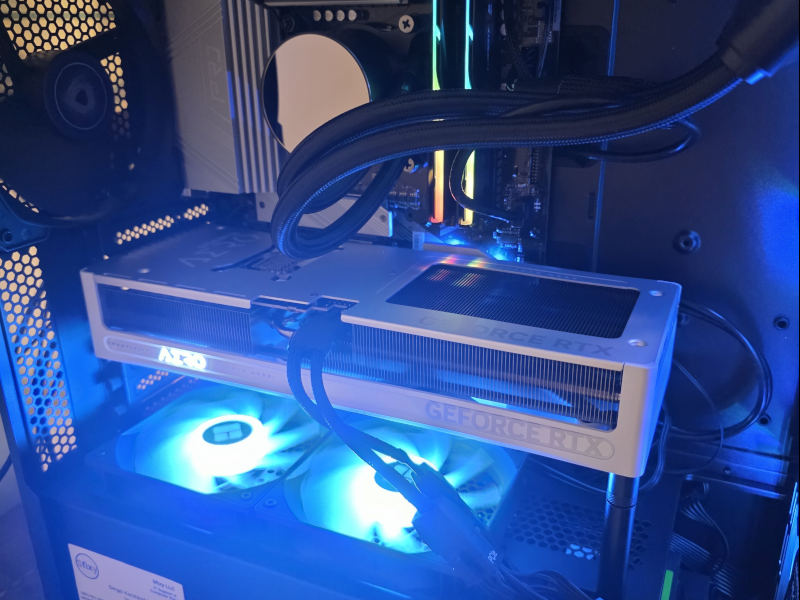 The completed system delivered the requested performance upgrade while keeping the clean black, silver, and white aesthetic the client wanted.
Most importantly, the client was happy with the final result and confirmed that the system looked great after delivery.
When a New Build Is Better Than an Upgrade
Upgrading an older gaming PC can be a great option when the existing platform still has a strong foundation. Sometimes a new graphics card, more memory, or a larger SSD is all the system needs.
But there is a point where upgrading becomes inefficient. If the motherboard is old, the power supply is questionable, the case has poor airflow, storage is outdated, memory is insufficient, and the graphics card is several generations behind, replacing one part at a time can quickly become more expensive than building a proper system from the start.
This project was a good example of that decision-making process. The original computer was not useless, but it was no longer the best foundation for the client's goals and budget.
That does not mean every component from the original system had to be discarded. The client's existing hard drive and SATA SSD were still functional and provided additional storage capacity, so they were installed alongside the new NVMe system drive. This preserved existing files while giving the client substantially more total storage without adding unnecessary cost to the project.
This approach is often more practical than treating a build as an all-or-nothing replacement. The goal is not to replace hardware simply for the sake of replacing it. The goal is to invest where it creates meaningful improvements while continuing to use components that still provide value.
A carefully planned new build provided a cleaner result, better performance, fewer compromises, and a much stronger upgrade path.
Need Help Planning a Gaming PC Upgrade?
If you are trying to decide whether to upgrade your existing gaming PC or build a new one, the right answer depends on the hardware you already have, your budget, your games, your monitor, and your long-term plans.
Sfixy provides custom gaming PC builds, upgrade planning, airflow optimization, component selection, assembly, BIOS tuning, and stability testing in Boca Raton and surrounding South Florida areas.