How to Build a Powerful PC in 2026 Without Wasting Money: Part 1
Building a powerful PC in 2026 without emptying your bank account has become much harder than it was just a few years ago. Memory prices have climbed sharply, SSD prices have followed, and high-end graphics cards continue pushing full-system budgets into territory that used to belong mostly to professional workstations.
That makes component selection more important than ever. A poorly balanced build can easily cost hundreds of dollars more while delivering almost identical real-world performance. The goal is no longer just to buy “fast parts.” The goal is to understand where performance actually comes from — and where marketing departments want you to think it comes from.
In Part 1, we will focus on the components that most directly affect performance, thermals, and overall system behavior: the CPU, GPU, cooling, case, and airflow design.
The CPU Trap
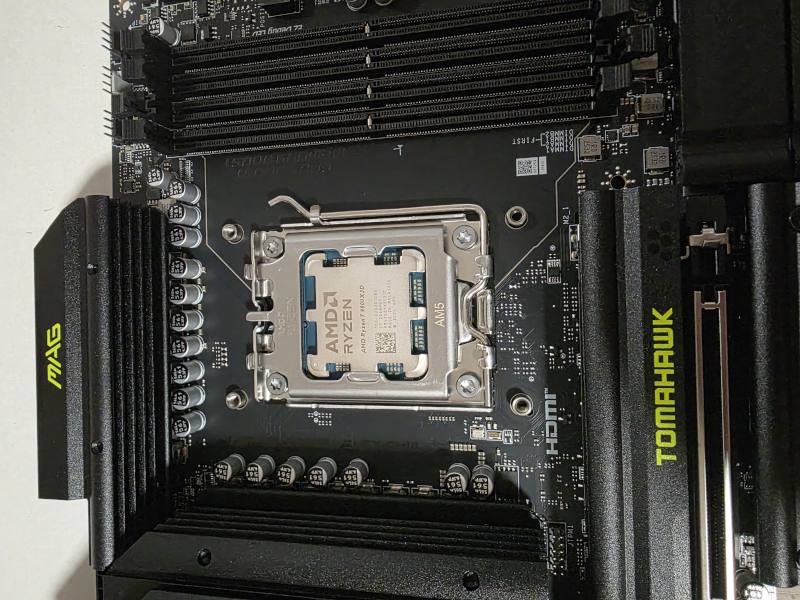 The Ryzen 7 9800X3D remains one of the best gaming CPUs available in 2026, but processor choice should always be balanced with the graphics card and overall system budget.
One of the most common mistakes in modern PC building is overspending on the processor while neglecting the graphics card.
Recently, I came across a system built around a Ryzen 7 9800X3D paired with an RTX 5060 Ti 8GB. The processor itself is one of the best gaming CPUs available, but the overall system balance makes very little sense for most users.
In many real-world gaming scenarios, that same budget would deliver better results with a slightly less expensive processor and a stronger graphics card, such as an RTX 5070-class GPU. The reason is simple: modern games are usually limited by GPU performance long before they become limited by CPU performance.
A powerful processor sitting mostly idle while the graphics card struggles is rarely a good use of money.
For buyers focused almost exclusively on gaming, AMD’s X3D processors continue to offer excellent performance. However, not everyone uses a computer only for gaming.
Intel’s Core Ultra 200 Plus-series processors have become very interesting for users who care about both gaming and productivity. For mixed workloads — streaming, content creation, software development, virtualization, office multitasking, and general productivity — they can offer a very attractive price-to-performance balance.
The best CPU is not always the most expensive one. It is the processor that leaves enough room in the budget for the graphics card, storage, cooling, and power supply the system actually needs.
The GPU Trap
The graphics card is still the most important component in a gaming PC, but that does not mean the most expensive card is always the smartest choice.
A good example is the difference between cards such as the RTX 5070 Ti and RTX 5080. On paper, the 5080 looks like the obvious upgrade. In reality, the difference is often much smaller than the price gap suggests.
Both cards use 16GB of video memory and a 256-bit memory bus. The main difference comes from additional compute units and higher power limits. In many real gaming scenarios, that may translate into roughly 10–15% more performance, and sometimes less.
The problem is that the total cost of the system increases much more than that. A higher-power GPU may require:
- a stronger power supply,
- better case airflow,
- more cooling headroom,
- more careful fan tuning,
- and higher tolerance for heat and noise.
Spending 50% more money for 15% more performance is rarely a good value proposition, especially if the difference is only visible with an FPS counter on screen.
A smarter GPU choice often creates room in the budget for a better SSD, quieter cooling, a higher-quality power supply, or a more serviceable case — upgrades that can make the entire computer feel better every day.
The Cooling Trap
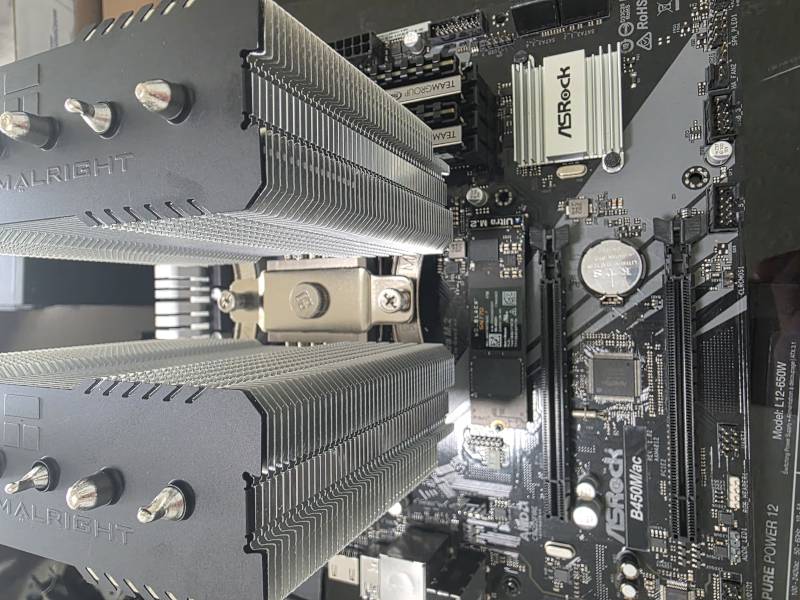 Chasing expensive liquid cooling is not always necessary. A quality dual-tower air cooler often provides excellent performance, lower noise, and better long-term reliability.
One of the biggest myths in PC building is that every liquid cooler automatically outperforms every air cooler.
Unfortunately, that is not how thermodynamics works.
Many prebuilt systems still ship with 120 mm liquid coolers attached to high-power processors. These coolers may look impressive in marketing photos, but their real-world performance is often no better — and sometimes worse — than a quality tower air cooler.
In many cases:
- 120 mm AIO coolers offer very little practical advantage over traditional air cooling,
- 240 mm AIOs often perform similarly to high-end air coolers,
- and the real advantages of liquid cooling usually begin with 280 mm and 360 mm radiators.
Cooling should be selected based on real heat output, not aesthetics. A properly installed cooler with good contact pressure, correct thermal paste application, and clean airflow will outperform a poorly installed “premium” cooler every time.
The Aquarium Case Trap
Few things are more popular on social media than aquarium-style PC cases with large glass panels and RGB lighting.
Few things are more disappointing than discovering the airflow inside some of them.
A beautiful case with poor airflow can easily result in higher temperatures, louder fans, reduced boost frequencies, increased dust buildup, and shorter component lifespan.
The goal of a case is not simply to display hardware. The goal is to move cool air efficiently through the system.
When evaluating a case, pay attention to:
- unrestricted front or side intake,
- adequate exhaust capacity,
- GPU clearance,
- radiator compatibility,
- dust filtration,
- and the actual airflow path through the case.
In many situations, a less flashy airflow-focused case will outperform a more expensive glass showcase design.
Airflow Is Engineering, Not Decoration
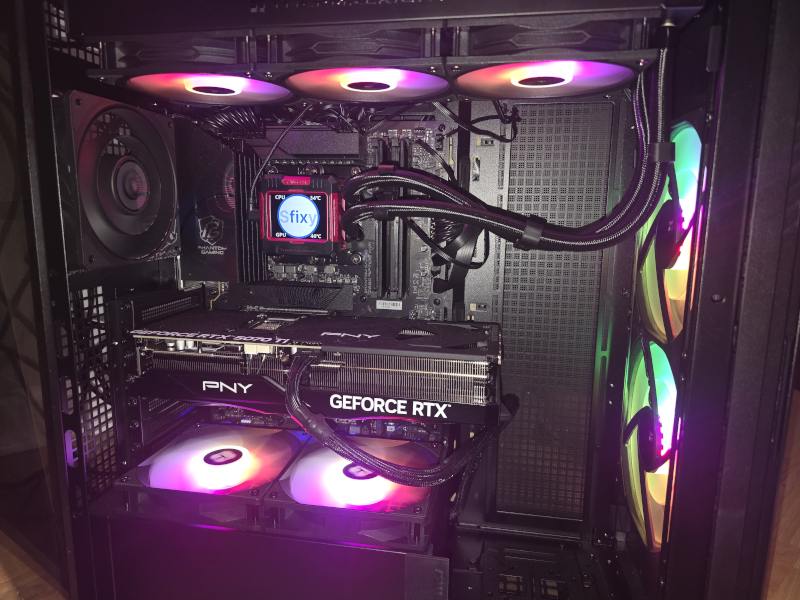 A well-designed airflow layout with positive air pressure helps keep temperatures under control, reduces dust buildup, and allows high-performance components to operate more efficiently.
The number of fans installed in a system matters far less than how those fans are configured.
We have seen systems with ten RGB fans run hotter and louder than systems with six properly positioned fans. Airflow is not about filling every mounting point. It is about creating a predictable path for air to travel through the case.
A well-designed airflow strategy usually means:
- cool air enters through the front and bottom,
- warm air exits through the top and rear,
- airflow remains unobstructed,
- and internal pressure remains slightly positive.
Positive pressure helps reduce dust accumulation by forcing air to leave through gaps instead of constantly pulling dust into the case from every opening.
The result is usually lower temperatures, quieter operation, cleaner components, and better long-term reliability.
Airflow is not about how many fans you can fit into a case. It is about creating a controlled environment where every component receives adequate cooling without excessive noise.
Final Thoughts for Part 1
The first step toward building a powerful PC in 2026 without wasting money is understanding balance. A flagship CPU paired with a weak GPU is not a smart build. A beautiful glass case with poor airflow is not a smart build. A liquid cooler chosen only for appearance is not a smart build.
A fast and reliable computer comes from matching the right CPU, GPU, cooling system, and case design to the real workload.
In Part 2, we will cover the components that are less glamorous but just as important for long-term value and reliability: motherboards, memory, SSDs, and power supplies.
Need help planning or building a custom gaming PC or workstation in South Florida? Sfixy provides custom PC builds, upgrades, airflow optimization, and stability-focused hardware diagnostics.