MSI RTX 5080 Ventus OC Black Screen and Gaming Stability Fix in a High-End Gaming PC
A client contacted me regarding a newly built gaming PC equipped with an MSI RTX 5080 Ventus OC graphics card and an AMD Ryzen 7 9800X3D processor. The system appeared to work normally on the desktop, but shortly after launching modern games, performance would begin to degrade. Eventually, the display would go completely black while game audio continued playing in the background.
This type of symptom often points to GPU instability rather than a complete system crash. The computer remained powered on and responsive, but the graphics subsystem was failing under sustained load.
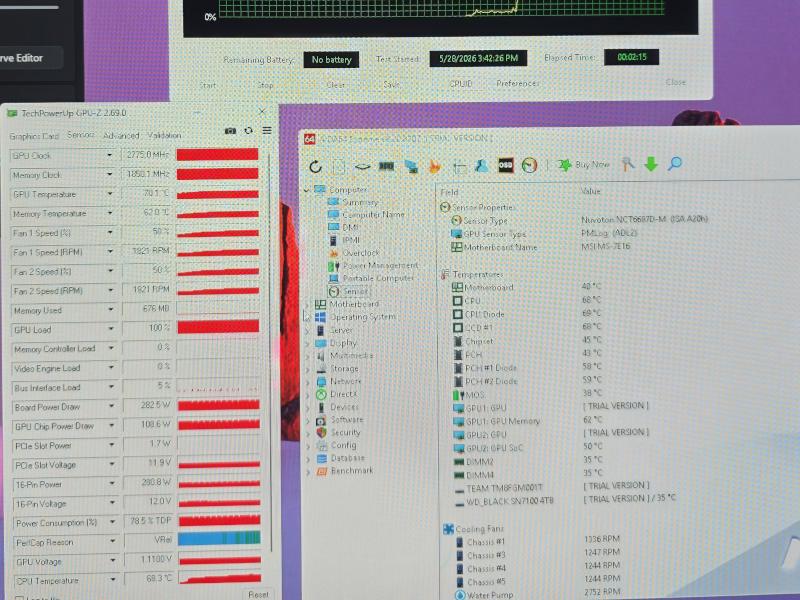 Stability testing and thermal monitoring during diagnostics.
Initial Diagnostics
The issue was successfully reproduced during testing. Several demanding workloads and stress tests were used to verify system behavior under load. Graphics drivers, firmware versions, temperatures, cooling performance, memory settings, and power delivery were all examined.
- GPU stability testing under sustained load
- Temperature monitoring and thermal analysis
- Graphics driver verification and updates
- Motherboard BIOS verification
- Memory configuration review
- Cooling and airflow evaluation
The hardware itself was impressive. The system combined a Ryzen 7 9800X3D with an RTX 5080, making it a powerful gaming platform. However, all of this hardware was installed in a relatively compact enclosure where heat buildup became a significant factor during extended gaming sessions.
What Was Causing the Black Screens?
The graphics card used in this system was an MSI RTX 5080 Ventus OC model. While the Ventus series offers solid value and performs well in many systems, entry-level flagship cards typically have less thermal and power headroom than premium variants such as the MSI Gaming X Trio, ASUS TUF, or ROG Strix series.
In this particular build, the combination of a compact case, factory-overclocked GPU settings, and sustained gaming loads left very little margin for stability. Under heavy load, the graphics subsystem would eventually become unstable and lose video output.
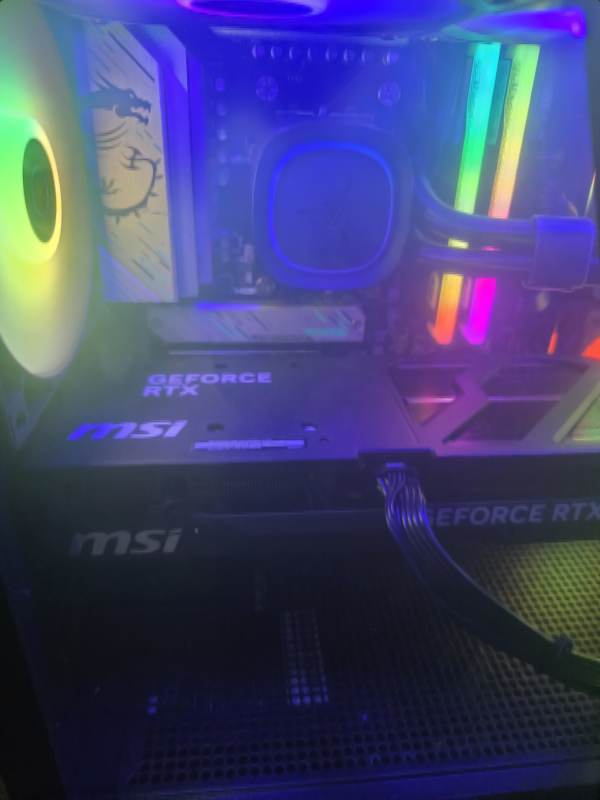 Compact high-performance gaming system equipped with an MSI RTX 5080 Ventus OC graphics card.
Corrective Actions
Rather than replacing hardware immediately, the focus was placed on improving system stability and reducing thermal stress inside the case.
- Updated graphics drivers
- Verified and updated system firmware where applicable
- Reviewed motherboard BIOS settings
- Optimized cooling fan curves
- Fine-tuned memory configuration
- Removed the factory overclock from the graphics card
- Reduced GPU power limit to 80%
Lowering the GPU power target significantly reduced heat output without noticeably impacting gaming performance. Returning the card closer to NVIDIA reference behavior provided additional stability margin while maintaining excellent real-world performance.
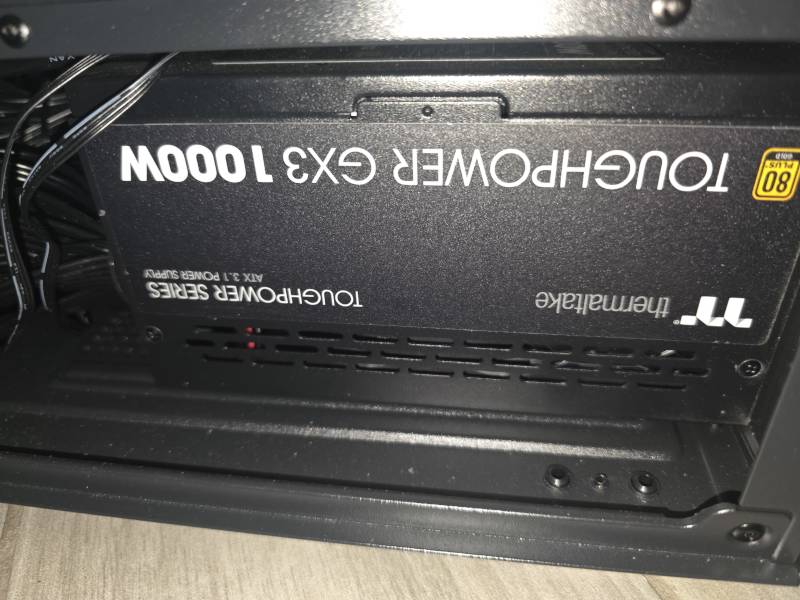 The system was powered by a Thermaltake Toughpower GF3 1000W ATX 3.1 power supply.
Results
After the adjustments were completed, the system successfully passed extended stress testing without reproducing the original black-screen issue.
GPU temperatures remained under control, overall case thermals improved, and gaming performance stayed smooth and consistent. Most importantly, the display signal remained stable during prolonged gaming sessions.
Final Thoughts
Not every gaming crash is caused by defective hardware. Modern flagship GPUs operate extremely close to their performance limits, and factors such as airflow, cooling configuration, factory overclocks, and case design can all influence long-term stability.
In this case, a careful diagnostic process and several targeted optimizations restored system stability without replacing any major components. Proper testing and tuning often solve problems that initially appear to require expensive hardware replacements.
Need a powerful custom gaming PC build that works reliably from day one? Request a quote and get help with parts selection, assembly, cooling, and stability testing.