CPU Overheating After a Move: Ryzen 7 7700X Cooler Failure
This gaming PC started having performance problems after being moved. The case had taken a significant impact during transportation, and afterward the system began slowing down and stuttering during games.
At first glance the computer still worked normally, but under gaming load the CPU temperature climbed rapidly and performance dropped as thermal throttling began.
Initial Symptoms
The Ryzen 7 7700X was idling at around 45°C, which was not immediately alarming. The problem became obvious under load: CPU temperature quickly climbed above 90°C during gaming, followed by throttling and noticeable lag.
The cooling fans also became extremely loud as the system tried to compensate for the rising temperature.
Inspecting the CPU Cooler
Because the problem appeared after the computer was physically moved, the cooling system was inspected for mechanical damage.
The tower cooler had been bent during the impact. The damaged mounting geometry made proper contact and cooling performance questionable even though the system could still boot and run.
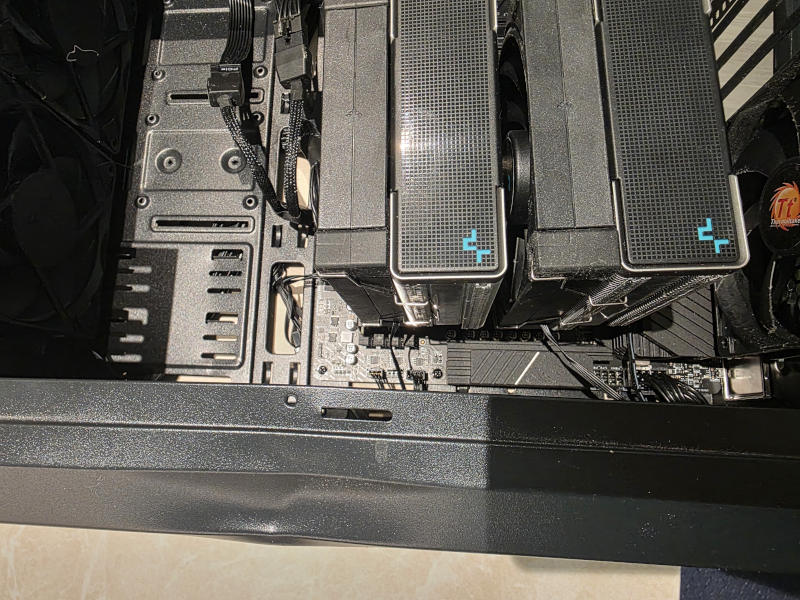 CPU cooler damage discovered after the system was moved
First Repair Attempt
The cooler was removed and reinstalled to restore the best possible contact with the processor.
CPU tuning was also adjusted with a small negative voltage offset of approximately -20 mV to reduce heat output under load.
This improved the situation, but did not fully solve it.
Temperatures increased more slowly and the system could run longer before performance degraded, but the CPU still continued heating up until gaming performance began to suffer again.
Confirming the Cooler Had Failed
The partial improvement showed that the processor itself was capable of operating normally when heat output was reduced, but the cooling system could no longer remove heat effectively enough under sustained load.
At that point, the damaged cooler was considered unreliable and replacement became the practical solution.
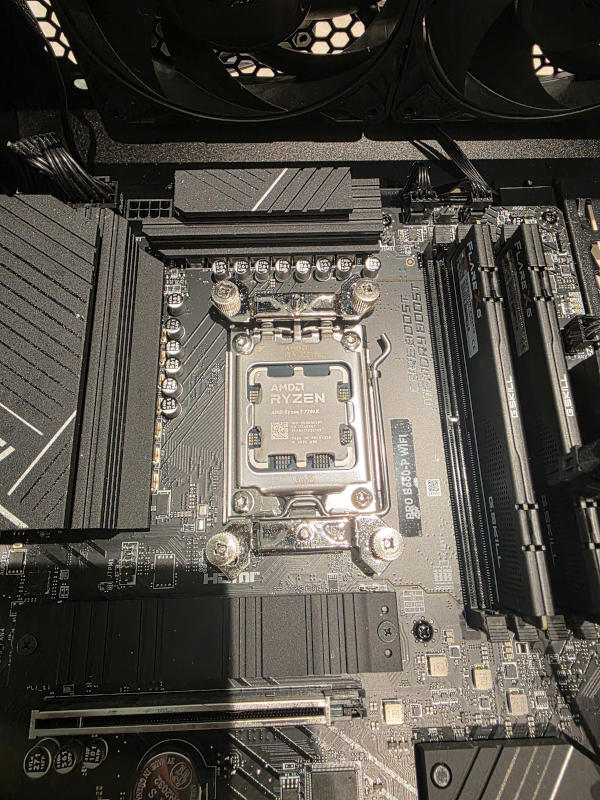 Ryzen 7 7700X during cooler replacement
Choosing the Replacement Cooler
While comparing replacement options, we found that compact 240 mm liquid coolers were now priced below many higher-quality tower coolers.
Instead of replacing the damaged air cooler with another large tower, a 240 mm AIO liquid cooler was selected.
This also reduced the amount of heavy mass hanging directly from the CPU socket, which can be an advantage in a system that may be moved again in the future.
Installing the 240 mm AIO
The damaged tower cooler was removed and replaced with the new 240 mm liquid cooler. The system was then tested again at idle and under gaming load.
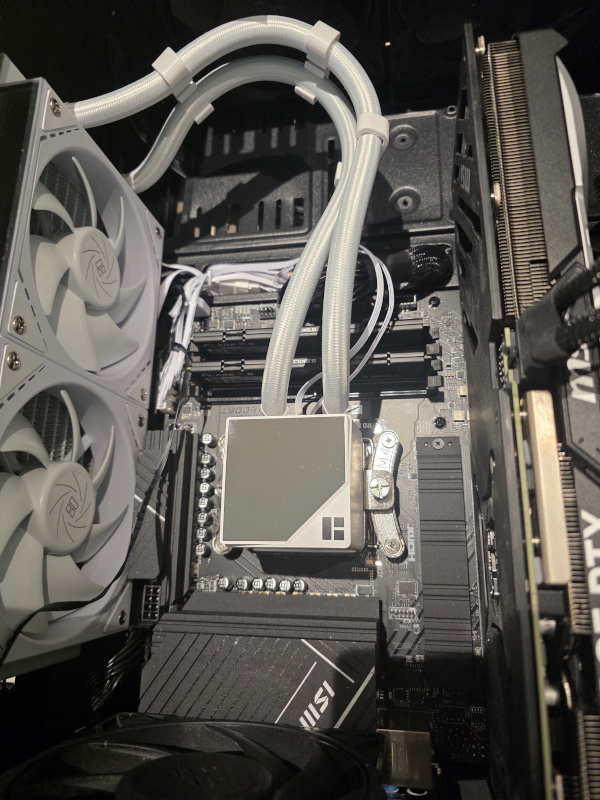 New 240 mm AIO installed after the damaged tower cooler was removed
Final Temperatures
After the replacement, idle CPU temperature dropped to approximately 38°C.
More importantly, during gaming the Ryzen 7 7700X stayed below approximately 80°C and no longer entered the same thermal-throttling behavior.
The system also became noticeably quieter. With the CPU no longer racing toward thermal limits, the cooling fans did not need to run as aggressively during gaming.
The PC returned to stable gaming performance without the progressive slowdown, thermal throttling, or excessive fan noise seen before the repair.
Key Takeaway
A computer that is dropped or hit during transportation may still boot normally while suffering hidden mechanical damage.
Large tower coolers place significant leverage on the motherboard and mounting hardware. If the case receives a strong impact, the cooler can shift or bend, reducing thermal performance even when nothing appears completely broken.
In this case, reinstalling the cooler and reducing CPU voltage helped only temporarily. Replacing the damaged cooling system was required to restore stable temperatures and normal gaming performance.
Need Help with an Overheating Gaming PC?
Sfixy IT Services provides on-site computer diagnostics, cooling system replacement, CPU temperature troubleshooting, and hardware repair in Boca Raton and nearby South Florida areas.